

Note
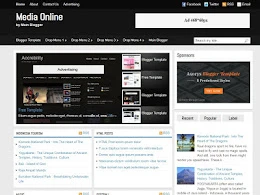
This template no longer supportedFeatures of this template are :
- magazine style template
- featured content slider
- 2 column template blogger
- 3 column footer
- tabview ready
- ads ready
- drop down menu navigation
- subscribe form
- and more
Recommended Posts
1. Featured content slider
Go to Template > Edit HTML > Proceed and find these code below :a. Small thumbnail
<li class='ui-tabs-nav-item ui-tabs-selected' id='nav-fragment-1'><a href='#fragment-1'><img alt='featured 1' height='45' src='/-pSkyrDeKC1A/TxJgfV2QJ1I/AAAAAAAAAtw/aUcI9hn0924/s400/muse.webp' width='60'/><span>Small Thumbnail Featured Post 1</span></a></li>b. Big thumbnail
<div class='ui-tabs-panel ui-tabs-hide' id='fragment-1' style=''>
<img alt='featured 1' height='280' src='/-pSkyrDeKC1A/TxJgfV2QJ1I/AAAAAAAAAtw/aUcI9hn0924/s400/muse.webp' width='410'/>
<div class='info'>
<h2><a href='http://www.main-blogger.com/'>Featured Post Title 1</a></h2>
<p>Lorem ipsum dolor sit amet, consectetuer adipiscing elit, sed diam nonummy nibh euismod tincidunt...</p>
</div>
</div>
2. Setting Email Sign up, Facebook and Twitter
Go to Template > Edit HTML > Proceed and find these codes below :<form action='http://feedburner.google.com/fb/a/mailverify' method='post' onsubmit='window.open('YOUR_FEED_NAME', 'popupwindow', 'scrollbars=yes,width=550,height=520');return true' target='popupwindow'><input class='input' name='email' onblur='if (this.value == "") {this.value = "Sign up email feed...";}' onfocus='if (this.value == "Sign up email feed...") {this.value = "";}' type='text' value='Sign up email feed...'/>
<input name='uri' type='hidden' value='YOUR_FEED_NAME'/><input name='loc' type='hidden' value='en_US'/><input class='sbutton' type='submit' value='Sign up'/></form>
<span class='facebook'>
<a href='FACEBOOK_LINK_HERE'><img alt='Follow Our Facebook' height='16' src='/_aAjcAMHOGT4/TAJyk0F09QI/AAAAAAAACjY/4FnXvb93F58/s1600/facebook.webp' style='vertical-align:middle; margin: -3px 5px 0 0;' title='Join Our Facebook' width='16'/></a><a href='FACEBOOK_LINK_HERE'>Facebook</a>
</span>
<span class='twitter'>
<a href='TWITTER_LINK_HERE'><img alt='Follow Us on Twitter!' height='16' src='/_aAjcAMHOGT4/TAJ0F9CjoZI/AAAAAAAACjw/vPsNxEzXMj4/s1600/twitter.webp' style='vertical-align:middle; margin: -3px 5px 0 0;' title='Follow Us on Twitter!' width='16'/></a><a href='TWITTER_LINK_HERE'>Twitter</a>
</span>




Gan, ane pake tempe ini. Ada kesalahan dikit tuh.
ReplyDeleteLihat dibawah judul artikel.
Posted by IRENG_AJAHAT 22.50
Nah gak ada spasi antara AJAH dengan AT. Gimana caranya nambahin spasinya gan?
Btw, nice tempe Gan
Terimakasih.
DeleteUntuk nambahin spasi, cari kode css ini :
.post-author{
float:left;
margin:0;
line-height:21px;
padding:0 0 0 10px;
}
Ganti dengan ini :
.post-author{
float:left;
margin:0 5px 0 0;
line-height:21px;
padding:0 0 0 10px;
}
mas ireng, sebenarnya saya sudah mengunakan template ini, dan telah saya rombak ulang dengan 2 slider otomatis, serta warnanya, bisa dikatakan sudah 80% dalam perubahan, tapi yang satu pasti tidak saya ubah adalah link dari blog pembuatan, jouery jg saya update dan js sudah saya simpan di googledrive, tapi kok masih terasa sangat berat mas, saya mengunakan komentae opening id, biar mas ireng bisa terjun ke blog saya dan berikan solusinya, terima kasih
ReplyDeletekeren, up editannya.
DeleteKalo soal kenapa masih berat, kurang tau juga soalnya banyak faktor.
Coba css nya di kompress dan pake eksternal link sprti script
mungkin ini faktornya ya, kemarin2 saya juga terpikirkan kesana, tp blm dicoba, terima kasih mas. mas ireng, skrg ini kok jarang buat template? kan keren2 semua templatenya? apalagi sekrg maskolis lagi libur hehehe ^_^
Deletehehe.. udah ada beberapa di draft tp belum rilis ajah. insyallah secepatnya
Deletemaskolis insyallah aktif lagi setelah lebaran (gosip tetangga :D)
Kalo urusan terindex google cepet, kurang paham, um. apakah sudah diaktifkan fitur Meta deskripsinya?
Meta deskripsinya sudah mas, di CHKME juga 100%, ya ga apa2lah mas, saya dua hari baru 1 postingan. terima kasih atas penjelasannya mas
Deleteoh ya satu lagi mas, meta tag saya apakah sudah benar? kok artikel saya harus memakan waktu 5 jam baru terindex oleh google?
ReplyDeletehai ireng ajah
ReplyDeletesaya mau tanya, tampilan flash pada halan utama sangat menarik, tapi jika kita masuk kesuatu post / halaman lain, tampilan flash pada halaman utama pasti akan hilang.
anda ada script tidak agar tampilan flash juga muncul pada post / halaman lainnya.
terima kasih atas jawabannya.
Waduh karena sy newbie diblogger sy sgt terima kasih atas pencerahannya mas, dan terima kasih templatenya.
ReplyDelete